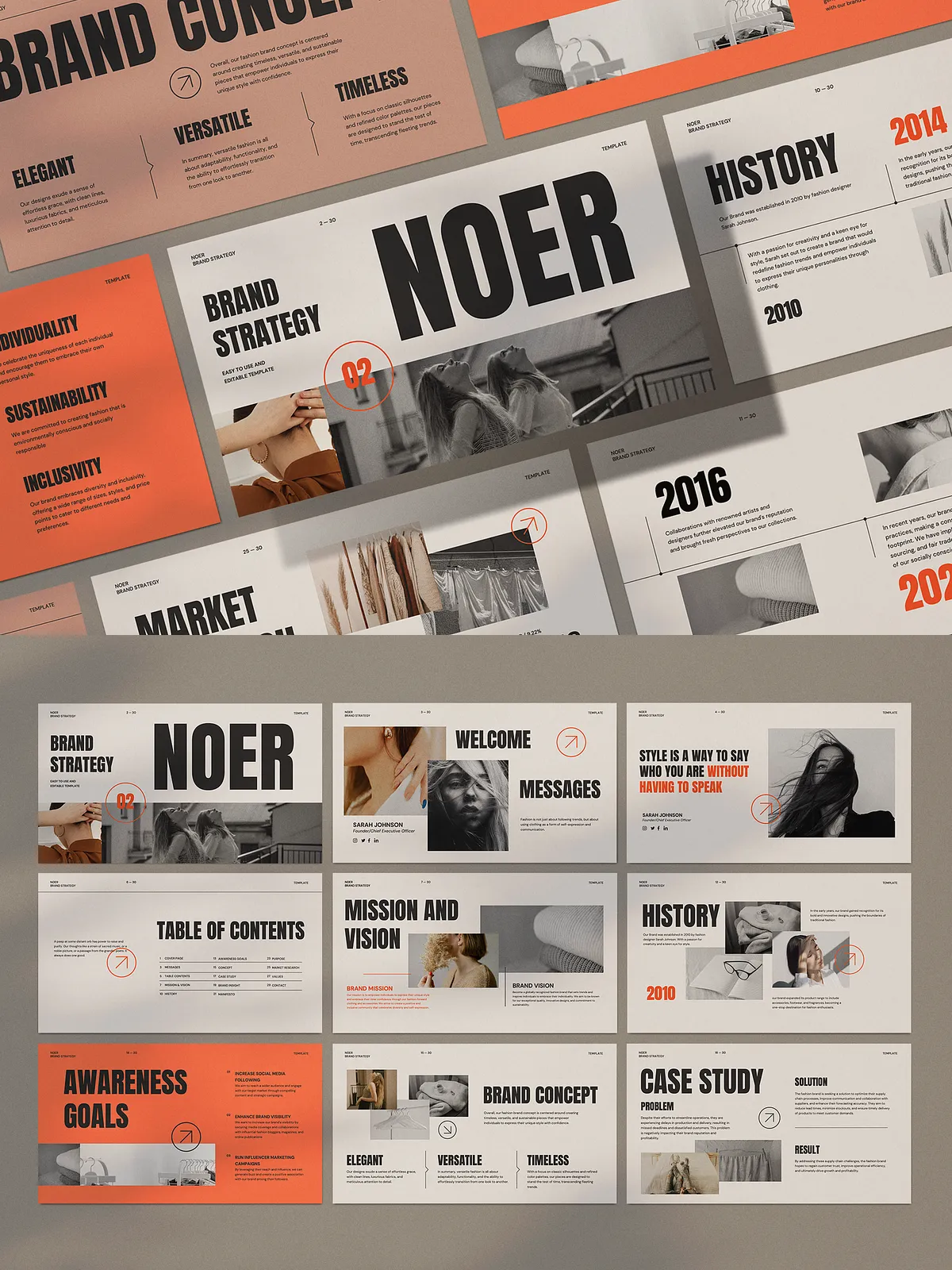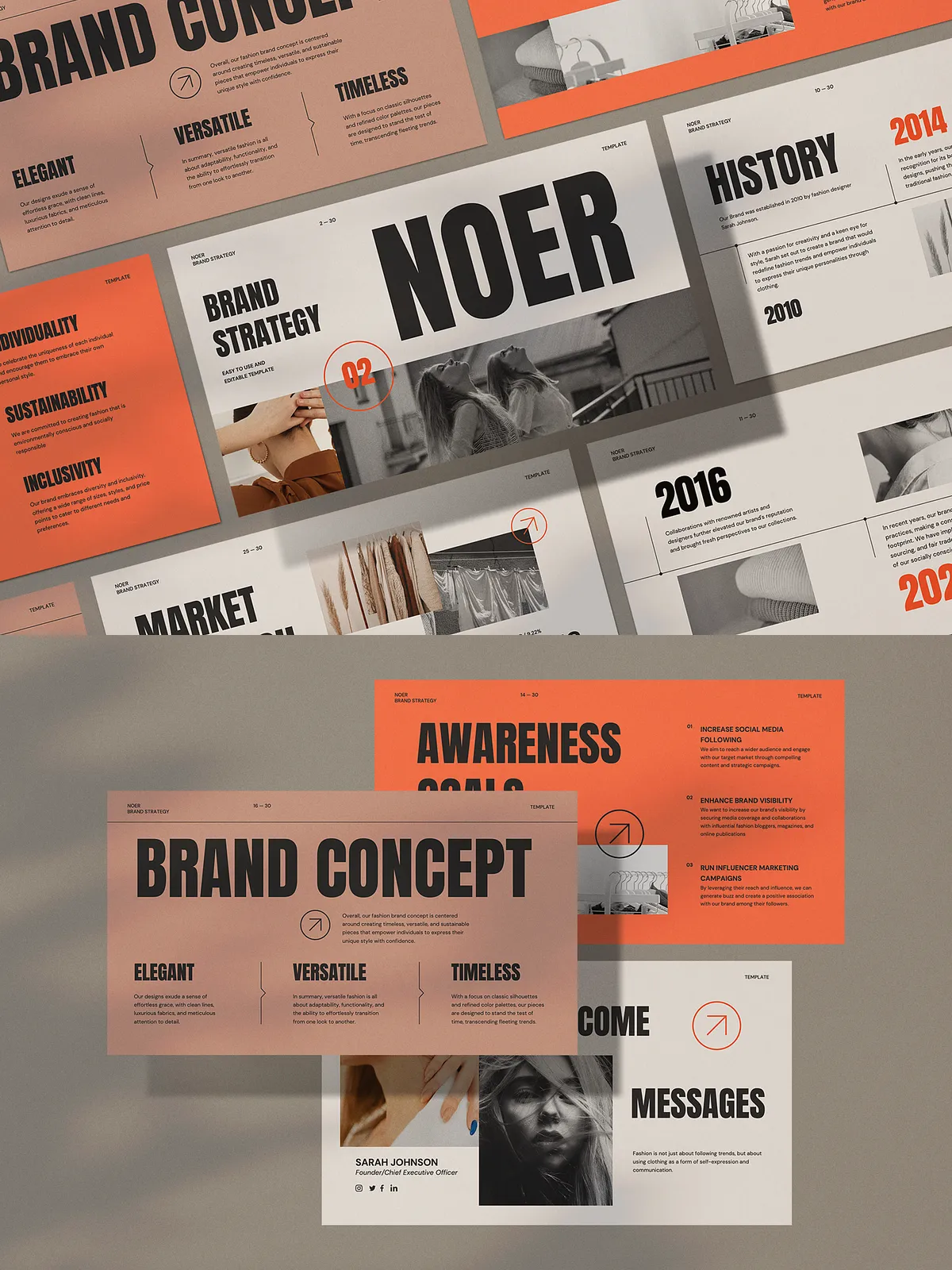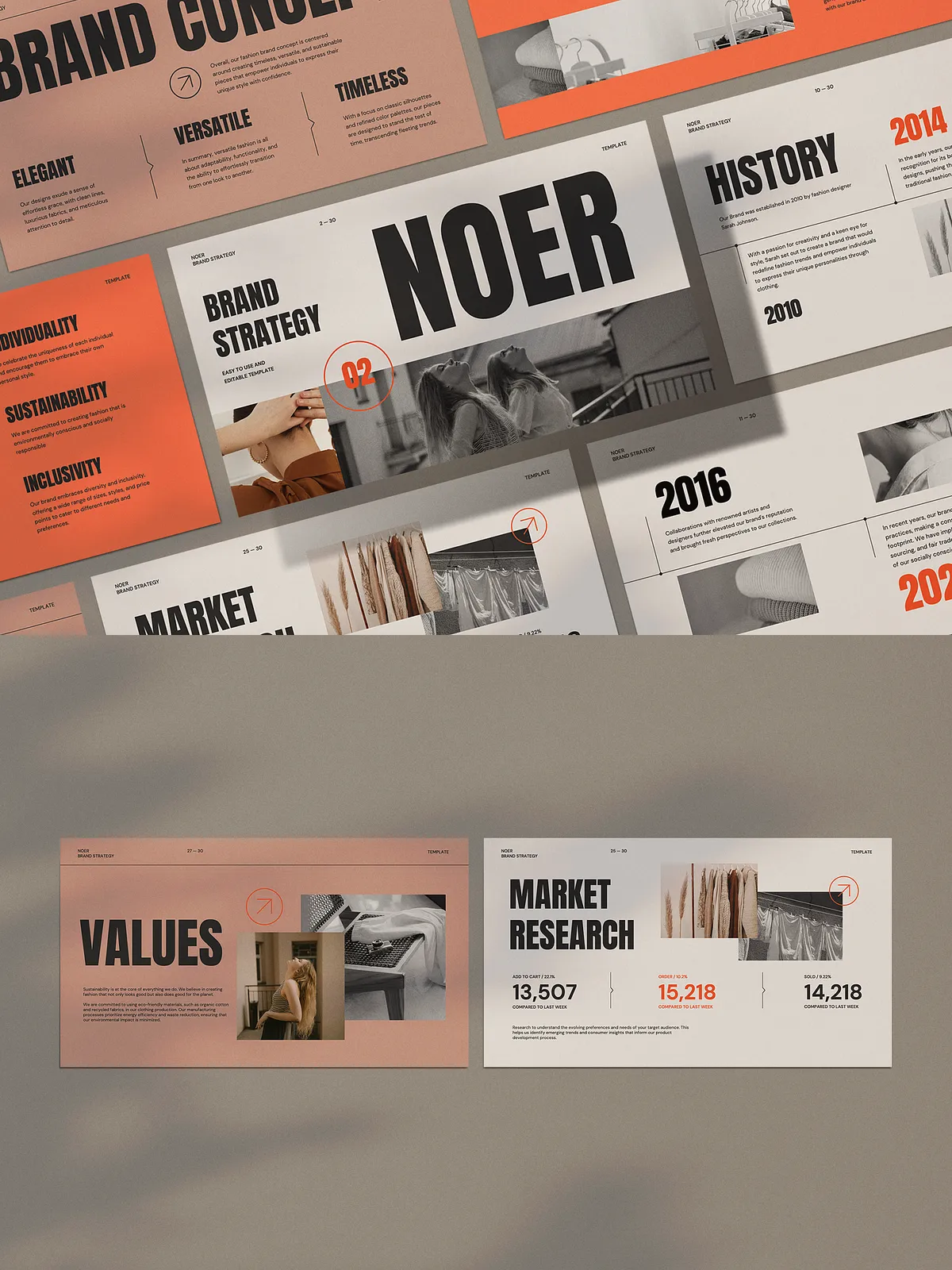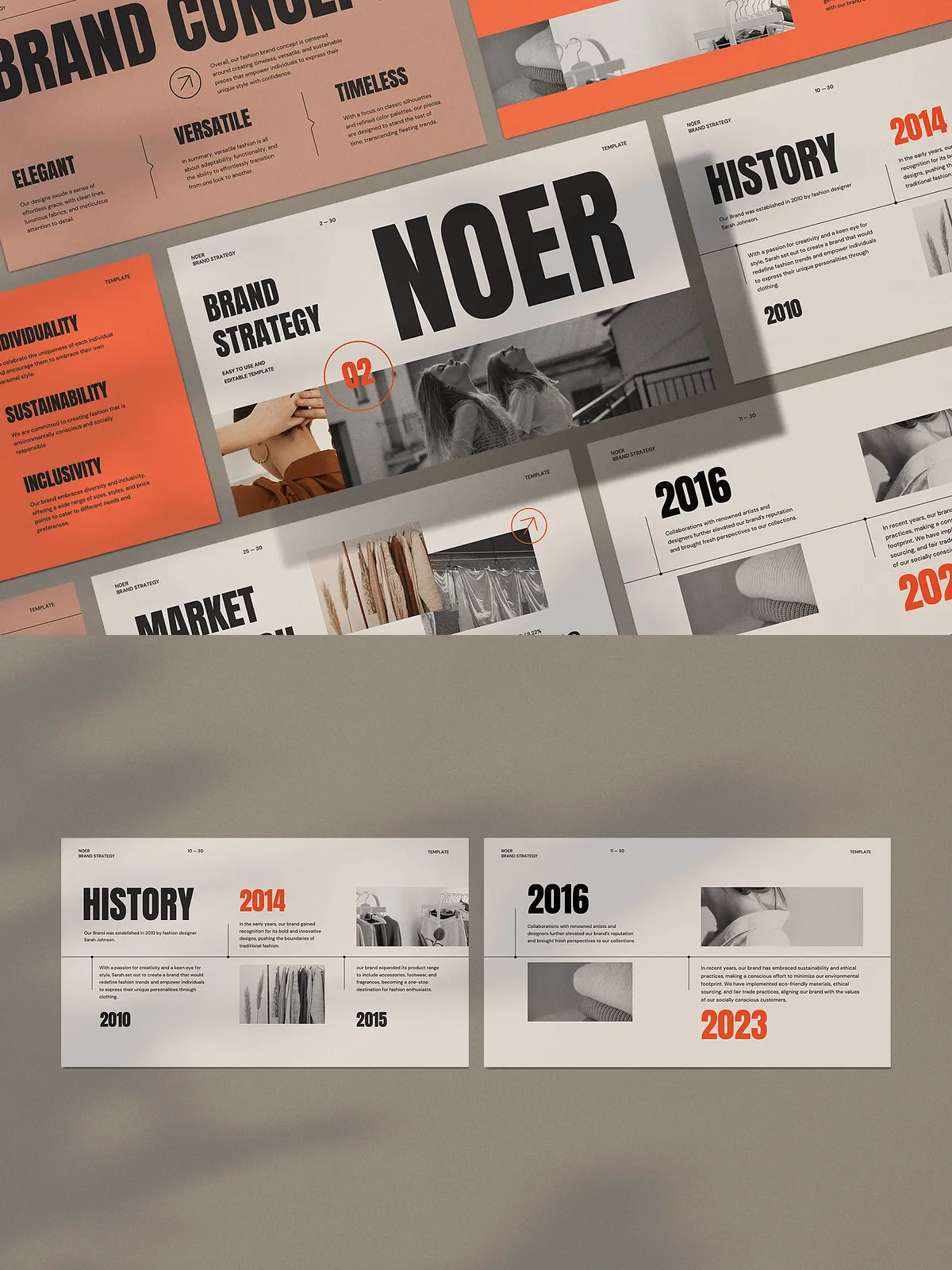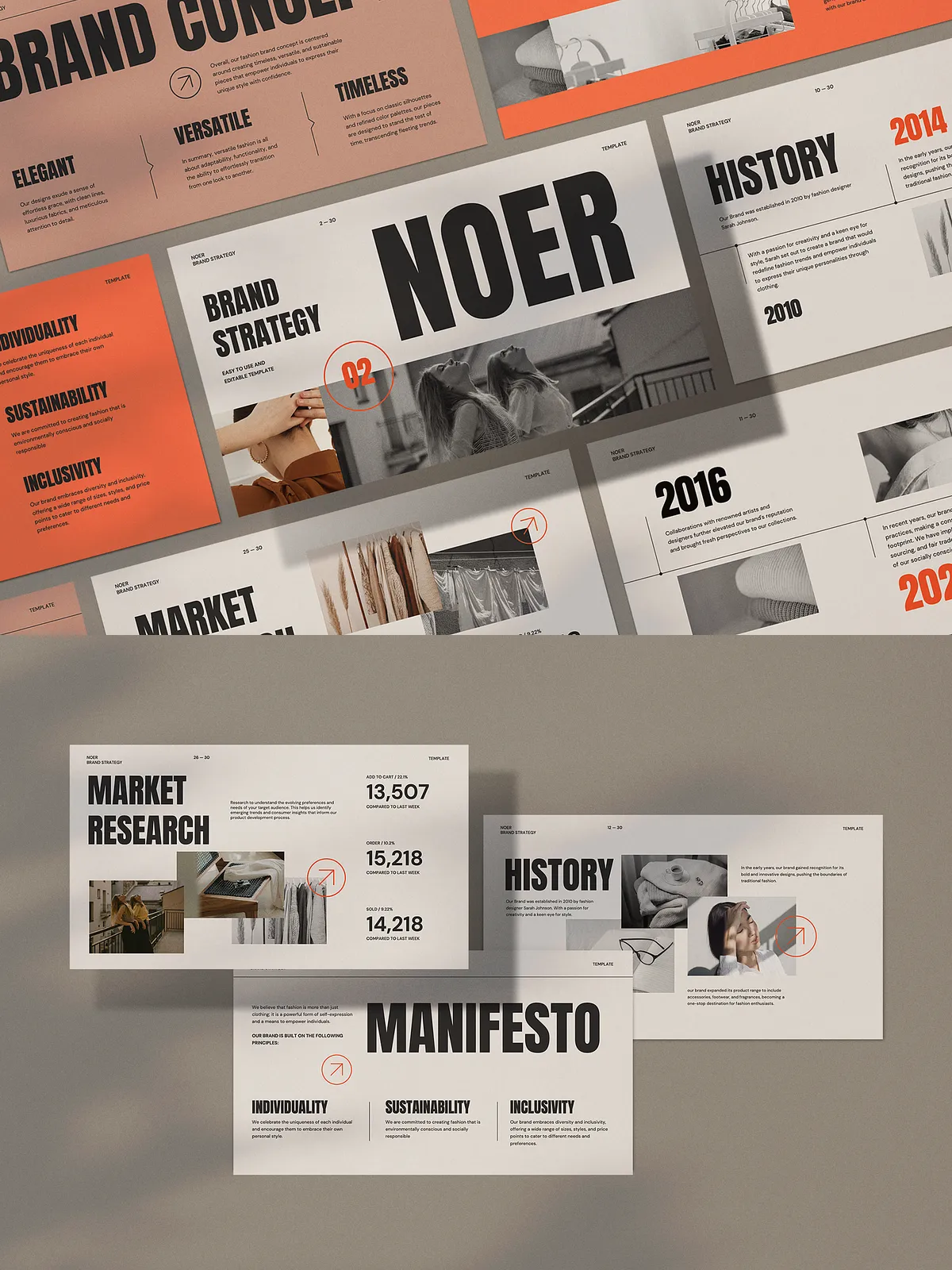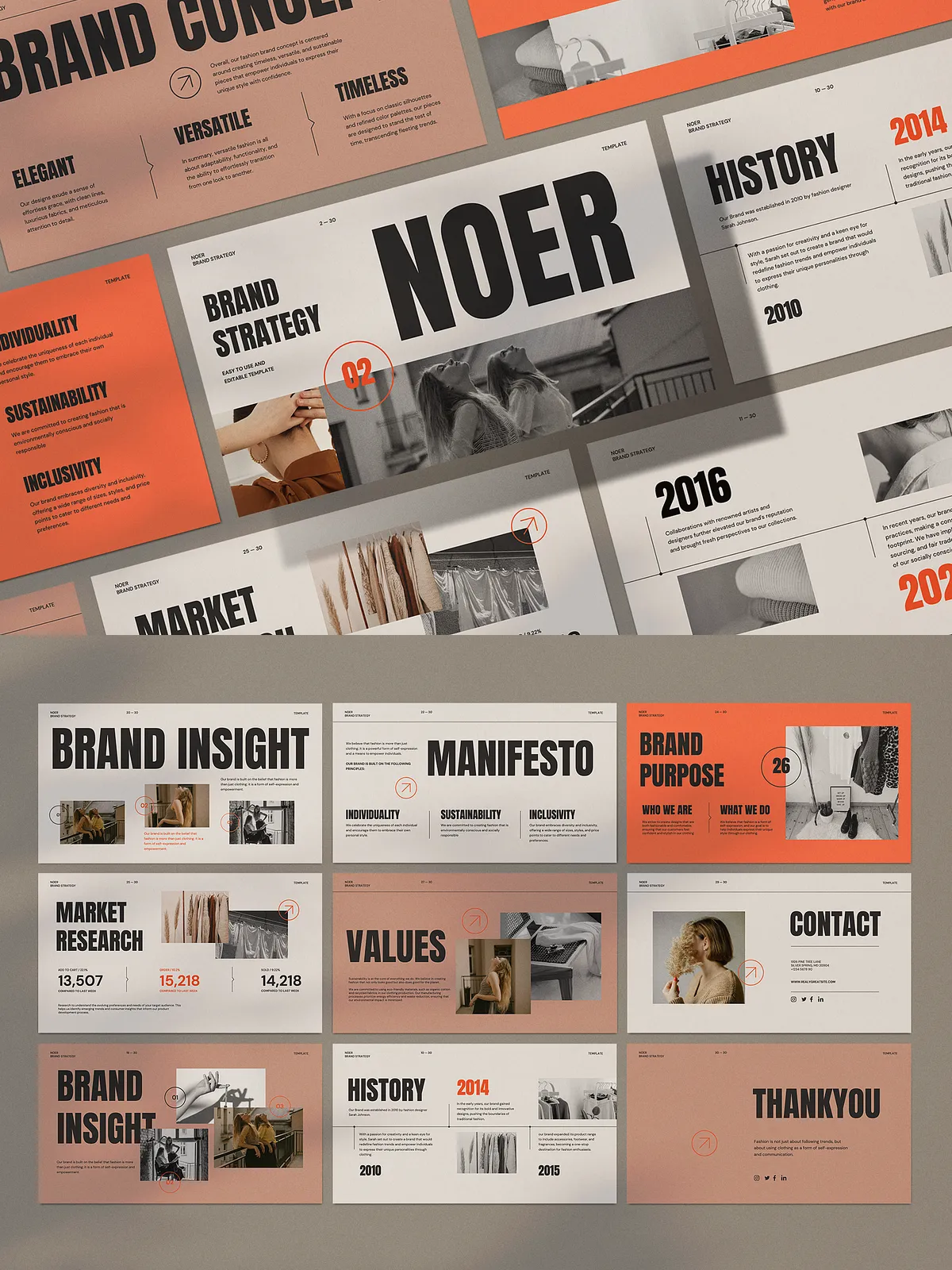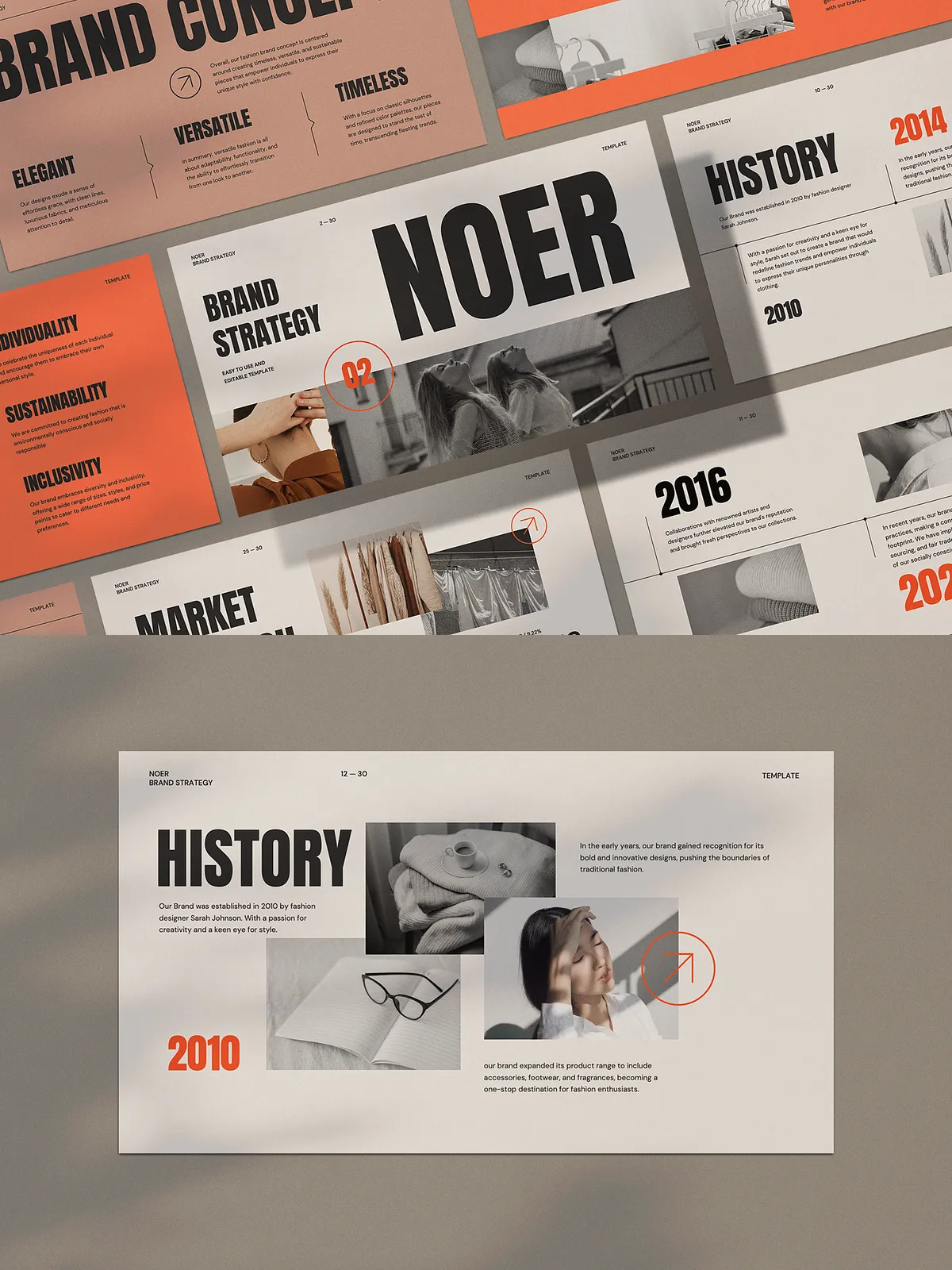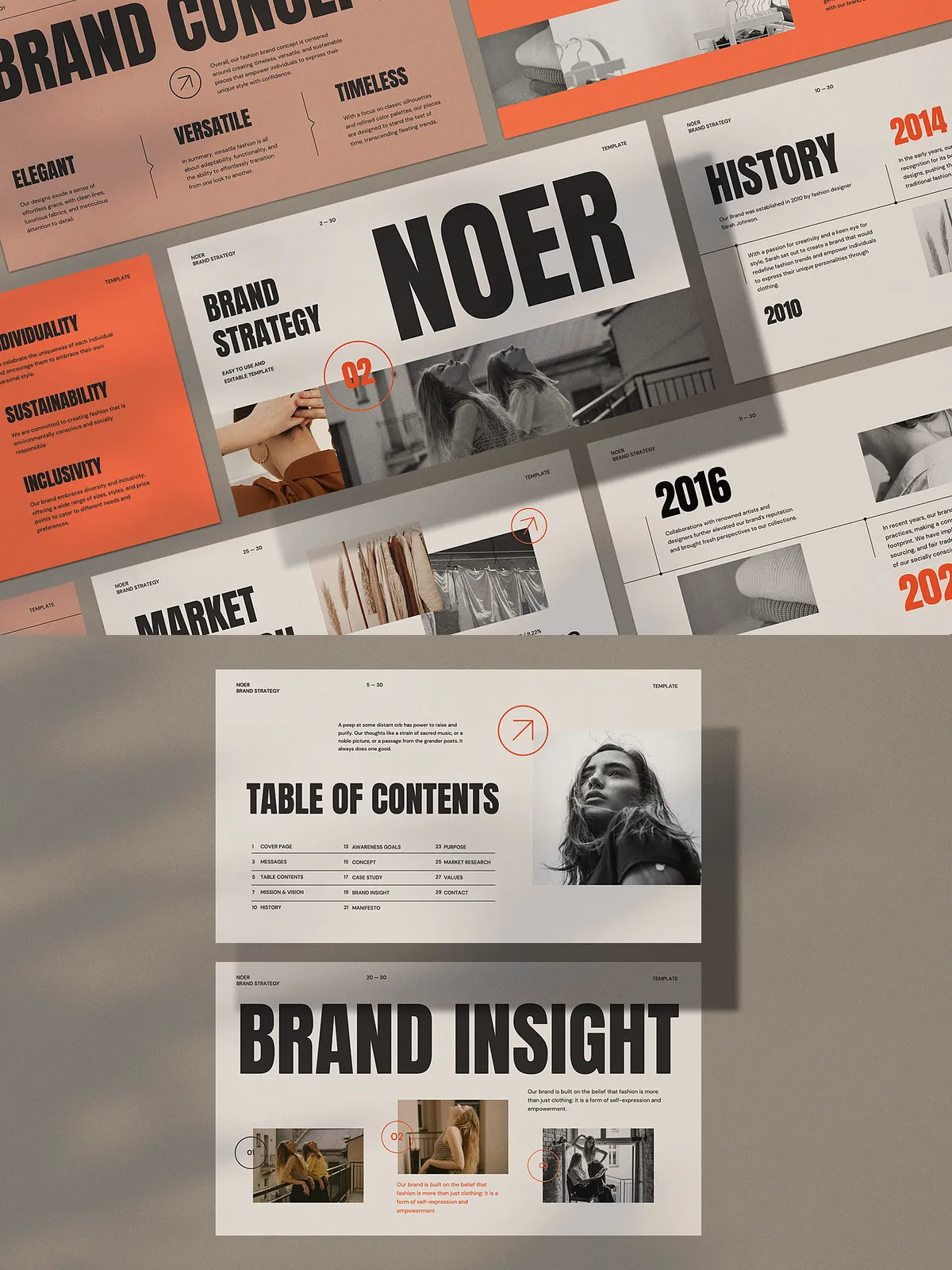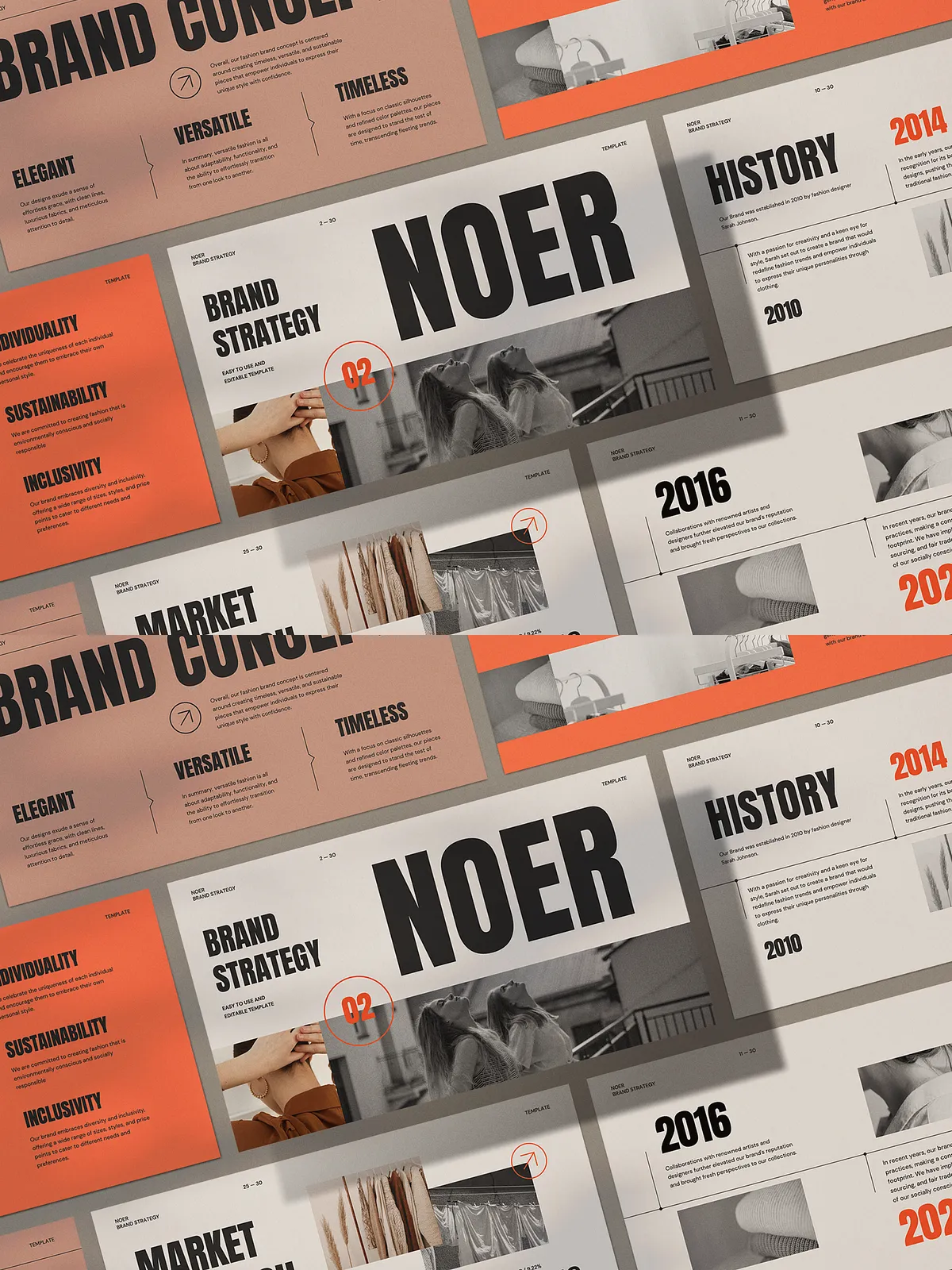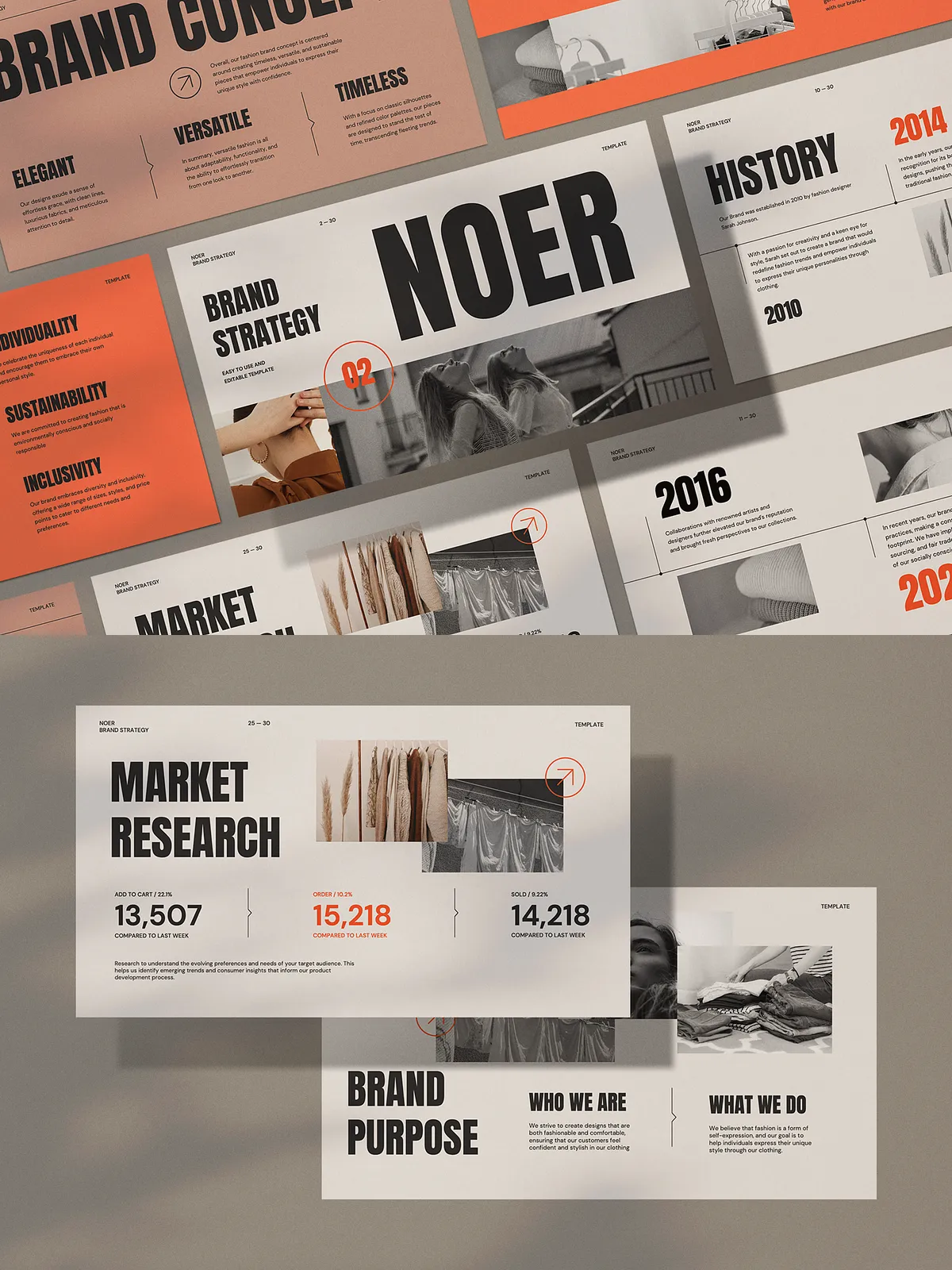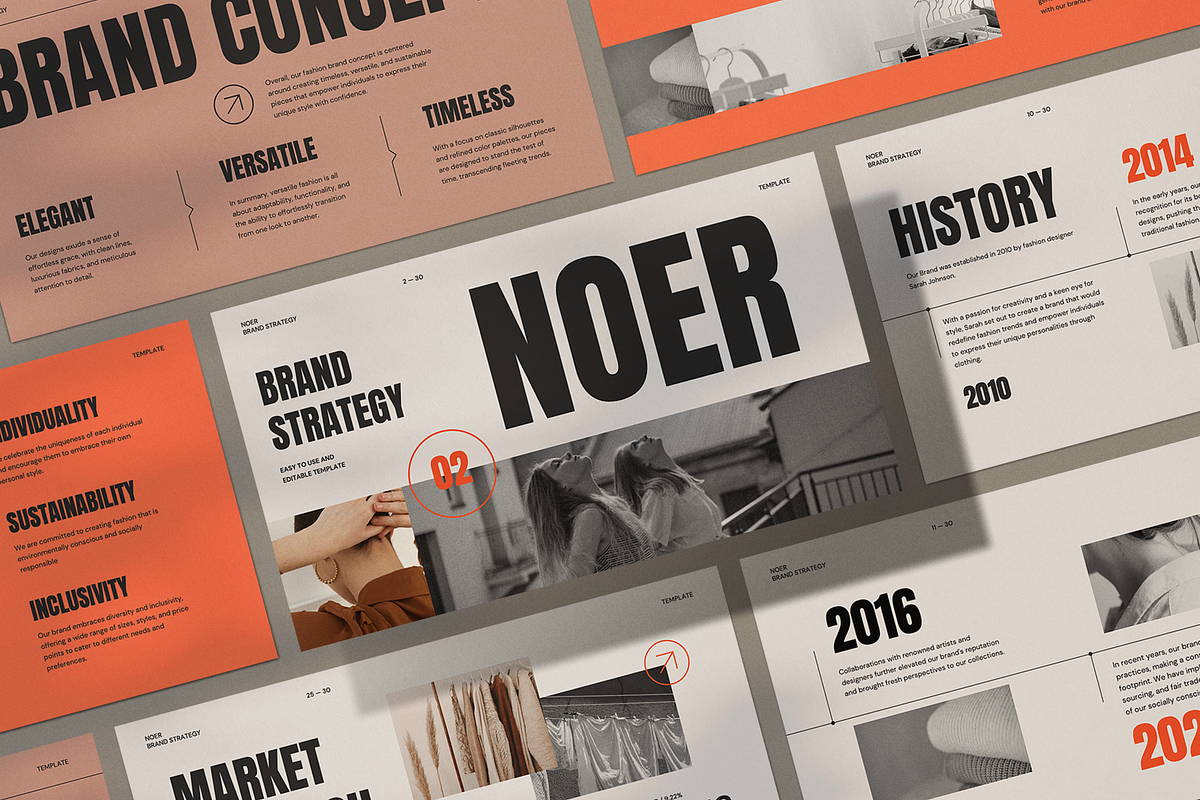
Stop struggling with cluttered decks and inconsistent designs. The NOER Business Strategy Template delivers a sophisticated, professional-grade presentation foundation built for speed, clarity, and visual authority. Engineered with a centralized slide master architecture, every slide is fully synchronized—ensuring perfect consistency across all headings, fonts, spacing, and design elements. This means you can update your brand identity in a single click and see the changes ripple across your entire deck instantly.
Effortless Customization, Maximum Professionalism
Whether you’re pitching investors, leading internal strategy sessions, or presenting to clients, this template accelerates your workflow without sacrificing polish. With drag-and-drop image placeholders, high-definition (16:9) resolution, and fully editable layout grids, you can populate your content with precision and style. No design expertise required—just input your data, plug in visuals, and watch your strategy come to life with confidence and elegance.
What’s Inside the NOER Business Strategy Template
30+ Professionally Crafted, Minimalist Slides
From executive summaries to financial forecasts, every slide is purpose-built to communicate strategy with clarity and impact. The template includes essential sections such as:
- Executive Summary – Make a powerful first impression with a clean, focused overview.
- Market Analysis – Visualize trends, competition, and customer insights with structured diagrams and charts.
- Business Model Canvas – Present your core business framework in a modern, visual format.
- Revenue Streams & Financial Projections – Forecast growth with intuitive, professional layouts.
- Team & Core Values – Showcase your vision and leadership with minimalist, high-contrast elements.
- Go-to-Market Strategy – Map your launch plan with visual journey timelines and milestone trackers.
- Future Roadmap – Communicate long-term goals with clear progression paths.
Designed for Teams, Built for Speed
With a master slide system at its core, the NOER template ensures that changes to color schemes, font styles, or layout grids are applied universally and instantly. Replace placeholders with your own branding, adjust the theme to match your personality or client’s identity, and maintain absolute consistency—no matter how many slides you’ve added or edited.
Seamless Cross-Platform Compatibility
Deliver the professional look you demand with files optimized for instant use:
- PowerPoint (.PPTX) – Full editing capabilities in Microsoft PowerPoint and compatible apps.
- PDF Export – Share a polished, print-ready version with flawless formatting and no file dependencies.
- Source Info.Pdf – Includes detailed instructions, font usage guide, and template customization tips.
Whether you’re working solo or collaborating across teams, the NOER template adapts—offering both ease-of-use and advanced design control.
Why Leaders & Strategists Choose NOER
Break the Slide Template Cycle: Start Fast, Finish Strong
Dedicate your energy to strategy, not formatting. The NOER template removes time-consuming technical setup and lets you focus on the substance—your business model, your market, your vision. With pre-designed layouts that follow visual best practices, you can go from idea to presentation in under an hour.
Stand Out with a Clean, Confident Visual Identity
In a world flooded with noisy presentations, minimalism wins. The NOER template uses negative space, restrained color palettes, and precise typography to emphasize your message—not visual distraction. This clean aesthetic signals professionalism, discipline, and strategic thinking—qualities that inspire investor confidence and client trust.
Perfect for Every Business Context
Whether you’re an entrepreneur refining your pitch, a corporate strategist planning a division rollout, or a consultant delivering executive briefs, NOER scales to your needs. It supports:
- Startup fundraising presentations
- Internal team alignment decks
- Client consulting reports
- Corporate innovation sessions
- Personal branding & portfolio showcases
Action Plan: Turn Your Strategy into a Standout Presentation
Step 1: Download & Extract the Template Package
Unzip the files. Open the .PPTX file in your preferred presentation software to begin editing immediately.
Step 2: Customize the Slide Master
Access the master layout to adjust the primary color scheme, fonts (all free and professional), and spacing rules—your entire presentation will update in real time.
Step 3: Populate with Your Content
Drag and drop images, type your key messages, insert charts, and input your data—each slide is ready to accept content without format issues.
Step 4: Export & Share with Confidence
Generate a polished PDF for easy sharing, or keep the editable PPTX for live presentations. Your strategy deck is now ready to command attention.
Pro Tips for Maximum Impact
Use the 16:9 Standard for Universal Visibility
Optimize your presentation for all modern displays—from laptop screens to conference AV systems. The 16:9 aspect ratio ensures your content fits perfectly without cropping.
Preserve Brand Consistency Across Projects
Create a versioned folder system: NOER_Template_v1, NOER_ClientX_Pitch, NOER_Fundraising_v2. Reuse your core structure while tailoring content for different audiences.
Pair with Free, High-Quality Fonts for Zero Licensing Hassles
The template uses only free, downloadable fonts that match professional tone—no hidden costs, no legal risks. Simply download the recommended sources from the included PDF guide.