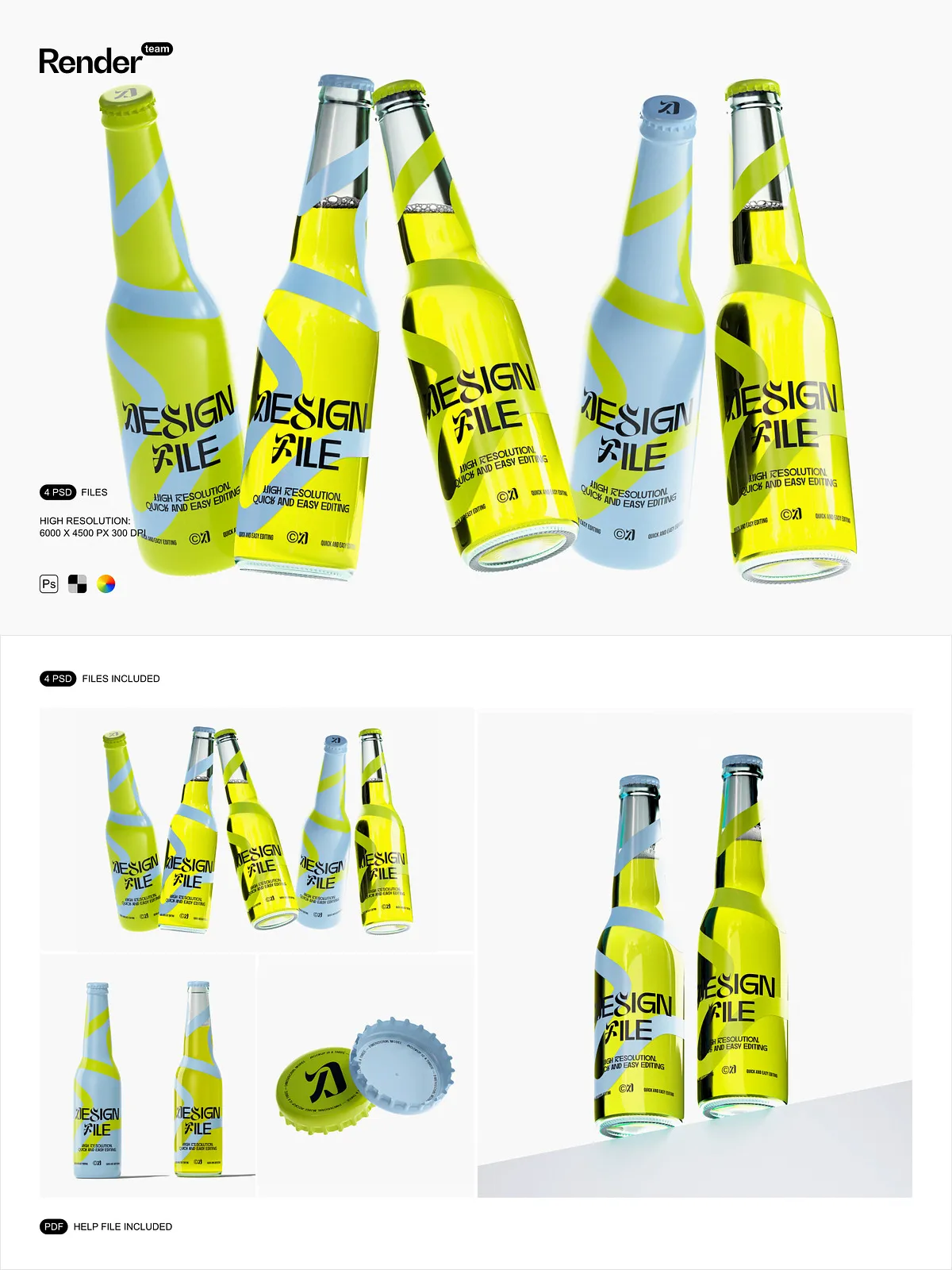
Supercharge your branding workflow with the Soda Beer Can Mockup Set, a dynamic collection of layered, fully editable PSD files designed for speed, realism, and creative control. Whether you’re launching a craft soda line, promoting a seasonal beer release, or presenting a new packaging concept to a client, this mockup suite delivers lifelike accuracy without the need for photography or physical prototypes. Simply double-click the smart object layer, paste your custom label, logo, or artwork, and save—your design instantly appears on a realistic can with perfect scaling and sharp clarity.
Dynamically Responsive Lighting and Reflections Create Authentic Realism
Every mockup features intelligent lighting that automatically adapts to your design’s color and brightness. A vibrant, neon-lit label will cast vivid reflections and glowing highlights, while a dark, matte finish will produce deeper shadows and subtle metallic sheen. This dynamic response ensures your can looks exactly like it was captured in real-world environments—whether on a bar counter, in a refrigerator display, or under bright promotional lighting. Achieve photorealistic depth and dimension with no manual adjustments or complex layering.
Organized Layer Structure for Effortless, Fast Editing
Each PSD file is meticulously structured with clearly labeled layers and folders. Design elements such as the can body, label, lid, shadow, ambient light, and background props are separated and grouped for maximum efficiency. Quickly locate the exact layer you need—swap label colors, adjust transparency, modify reflections, or replace background scenes without disrupting the overall composition. Built for professionals and beginners alike, this clean layer hierarchy slashes editing time and prevents workflow bottlenecks.
Professional-Grade Resolution for Print and Digital Dominance
6000×4500 px at 300 DPI for Crisp, Scalable Imagery
Engineered for commercial excellence, every mockup delivers a breathtaking resolution of 6000×4500 pixels at 300 dpi, the gold standard for high-fidelity printing and large-format displays. Whether you’re preparing visuals for product packaging, e-commerce listings, Instagram ads, or presentation decks, this ultra-high resolution ensures every pixel remains razor-sharp, no matter the scale. No blurry edges. No pixelation. Just print-ready, digital-perfect imagery that commands attention.
Isolated Objects and Shadows for Maximum Flexibility
Every visual element—can, label, shadows, reflections, and background props—is fully isolated and independent. This means you can modify one component without affecting others. Adjust the can’s angle, change the shadow intensity, swap the background environment, or alter the label color—all without breaking the scene. This level of autonomy allows for endless creative experimentation, rapid iteration, and flawless integration into any marketing campaign or design project.
Four Professional Scenarios for Real-World Brand Presentation
Diverse Environments That Bring Your Brand to Life
The set includes four expertly crafted scenes: a sleek modern bar counter, a vibrant retail refrigerator display, a sunlit outdoor picnic setting, and a high-energy nightclub environment. Each scene is packed with realistic context—glassware, food items, ambient lighting, and environmental depth—so your can isn’t just displayed, it’s experienced. These aren’t static mockups—they’re storytelling tools that immerse viewers in the moment your brand is meant to be enjoyed.
Ready-to-Use, Pre-Optimized for Instant Campaign Deployment
No setup. No guesswork. All scenes are pre-configured with correct perspective, lighting balance, and object positioning. Plug in your design and go—perfect for client presentations, social media content, Shopify product pages, or advertising pitches. Use them to showcase seasonal releases, product line variations, or limited-edition packaging—each scene instantly elevates your visual content with professionalism and polish.
Comprehensive PDF Tutorial for Immediate Mastery
Step-by-Step Guidance to Master Every Feature
Every purchase includes a detailed PDF help file with annotated screenshots, layer-by-layer walkthroughs, and troubleshooting tips. Learn how to use smart objects, manage color layers, export for web and print, and avoid common errors—all in plain language. Whether you’re new to Photoshop or a seasoned designer, this guide ensures you’re productive from the first edit.