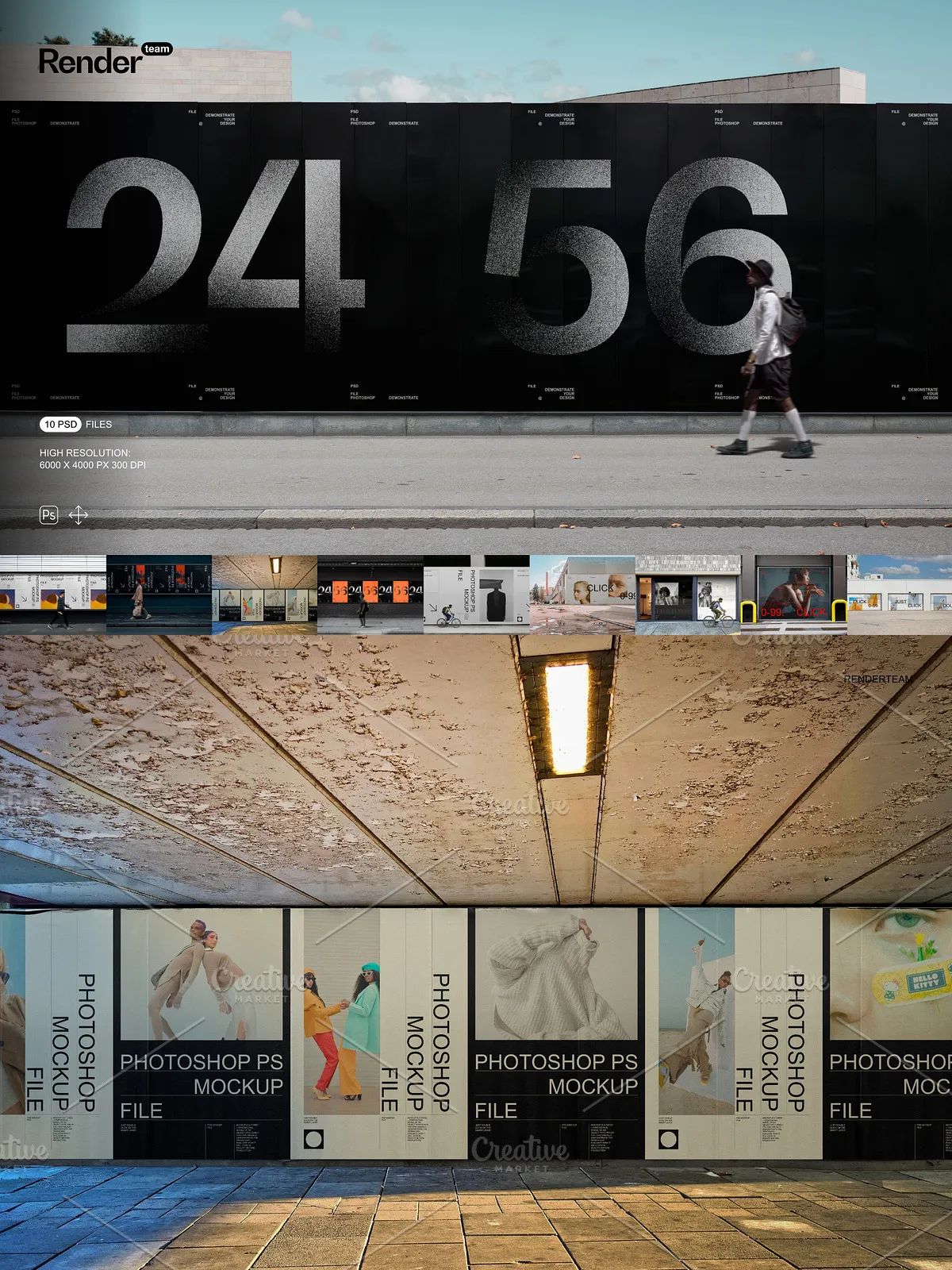
The Urban Poster / Billboard Mockups pack delivers ten fully layered and editable PSD files designed to present your poster and billboard designs in realistic urban environments. These mockups use Smart Objects for non-destructive artwork placement, well-organized layer groups for rapid editing, and high-resolution canvases (6000 × 4000 px at 300 dpi) to preserve detail for both digital previews and print proofs. Whether you prepare campaign concepts for client presentations, create portfolio images, or generate e-commerce assets, this set helps you produce consistent, high-quality visuals that reflect real-world scale and lighting.
Key Features
Fast, Non-Destructive Smart Object Workflow
Place your poster artwork quickly by double-clicking the Smart Object layer, inserting your design, and saving. The main scene updates automatically so you can iterate on multiple versions without altering the master layout.
Organized Layers and Editable Elements
Each PSD includes clearly named folders and grouped layers that separate the poster surface, billboard frame, surrounding environment, reflections, and shadows. This structure allows you to toggle elements on or off, adjust background scenes, replace posters independently, and fine-tune lighting without hunting through dozens of unlabeled layers.
High Resolution and Real-World Scale
Files come at 6000 × 4000 px and 300 dpi to ensure crisp renders that retain small typographic and texture details. High resolution means you can export close-up and full-scene images suitable for large-format print previews or zoomed-in portfolio presentations.
Fully Editable Composites
All scene elements—posters, frames, reflections, and cast shadows—remain editable and isolated. You can reduce shadow strength, alter ambient lighting, or remove environmental overlays to match specific campaign moods or brand guidelines. The isolated components let you composite posters into other backgrounds while maintaining realistic lighting and perspective.
Included Items
- 10 layered PSD mockup files showing a variety of urban poster and billboard types and viewing angles
- Smart Object layers for each poster/billboard for fast, non-destructive artwork placement
- Separated shadow, highlight, and reflection layers for precise visual control
- Organized folders and clearly labeled layers for efficient editing
- High-resolution files (6000 × 4000 px, 300 dpi) for web and print
- PDF help file with step-by-step instructions and recommended export settings
How to Use
1. Open and Inspect the PSD
Open a mockup in Adobe Photoshop (Creative Cloud recommended). Inspect the Layers panel to locate Smart Objects, environment overlays, and shadow controls. Identify which groups control the poster surface, frame, and background before placing artwork.
2. Insert Your Artwork
Double-click the Smart Object thumbnail to open it in a separate document window. Paste or place your poster design, align to guides, then save the Smart Object. Return to the main file and verify scale, perspective, and alignment in the full scene. Repeat for additional mockups to show different placements or angles.
3. Adjust Lighting and Environment
Use the isolated highlight and shadow layers to fine-tune visual weight, contrast, and realism. Swap background layers or adjust blur levels to simulate depth of field. Tweak layer opacity and blending modes to match the mood and time of day you want to convey.
4. Export Final Assets
Export images in sRGB for web use or convert to a print-ready profile for proofs. Use the included PDF help file for recommended export resolutions, color profiles, and sharpening settings to ensure consistent results across platforms.
Compatibility and Notes
The Urban Poster / Billboard Mockups require Adobe Photoshop with Smart Object support, layer styles, and blending modes. For best performance and full feature support, use a current Creative Cloud release. Preview images, stock photography, or fonts used in sample previews are not included and require separate licensing. These PSD mockups are optimized for Photoshop and may not function identically in non-Adobe editors.
Why Choose This Mockup Set
Choose this mockup set when you need fast, realistic outdoor advertising visuals that communicate scale, material, and placement clearly. The Smart Object workflow and structured layers let you iterate quickly, test multiple concepts, and export consistent, high-resolution images for client approvals, campaigns, and portfolio presentations. With ten polished mockups and a clear PDF guide, you can produce professional renderings that accelerate decision-making and improve presentation quality.
Tips for Best Results
- Match your artwork resolution to the Smart Object canvas to avoid pixelation.
- Use layer masks and adjustment layers within Smart Objects to preserve flexible editing.
- Preview designs at 100% to confirm typographic clarity and color fidelity before exporting.
- Keep a backup of original PSD files before performing heavy compositing or color conversions.