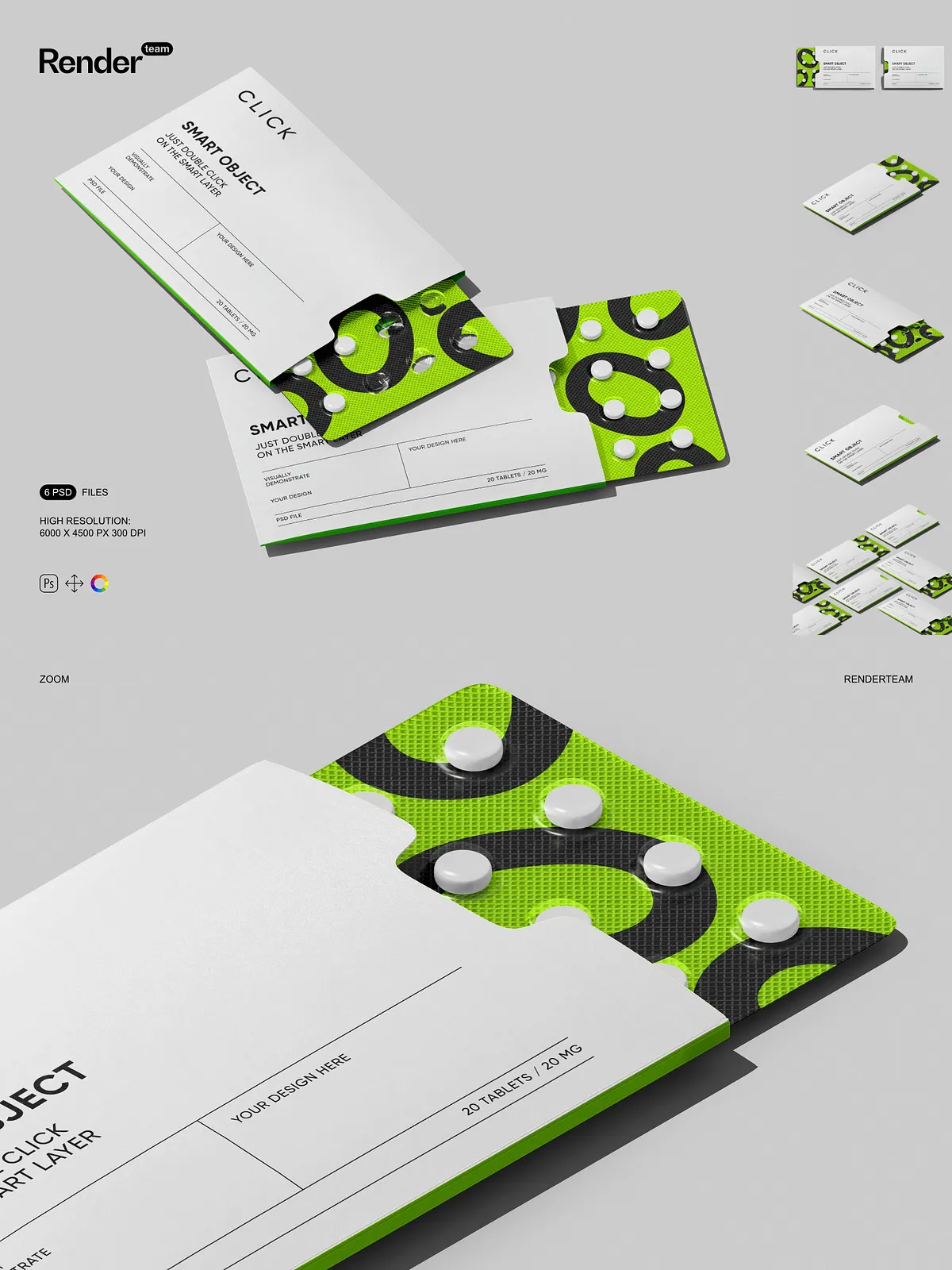
This Pills Box Packaging Mockup collection delivers six fully layered and editable PSD files designed to present pharmaceutical packaging, label concepts, and branding proposals in clean, studio-style scenes. Each mockup uses Smart Object layers and organized color controls so you can quickly replace artwork, adjust materials, and produce multiple variations with consistent, high-quality results. The files export at 6000 × 4500 px and 300 dpi to preserve fine detail for web galleries, product pages, and print proofs.
Key Features
Fast Smart Object Workflow
Edit your packaging designs rapidly using embedded Smart Objects: double-click the designated Smart Object, paste or place your artwork, save, and the main PSD updates automatically. This non-destructive method lets you iterate on label artwork, dielines, and spot varnish simulations without altering the master scene. For official guidance on Smart Objects, see the Adobe Help Center: [Create embedded Smart Objects – Adobe Help Center](https://helpx.adobe.com/photoshop/desktop/create-manage-layers/smart-objects/create-embedded-smart-objects.html).
Organized Layers and Flexible Composition
Each PSD contains clearly named folders and layers separating box faces, flaps, shadows, highlights, and background elements. You can toggle layer visibility, move individual components, or change blending modes to create alternate angles and staged scenes. The clean structure accelerates workflow and simplifies exporting multiple image variations for presentations or e-commerce listings.
High Resolution and Print-Ready Output
Designed for professional results, every mockup delivers 6000 × 4500 px at 300 dpi so textures, embossing, and fine print elements remain sharp when you crop or zoom. The high pixel density ensures accurate reproduction in online portfolios and printed mockups, supporting close-up detail shots without visible pixelation.
Isolated Objects and Complete Visual Control
All major elements and their shadows are placed on separate, isolated layers so you can adjust background color, shadow opacity, light direction, and reflection independently. Isolated layers let you compose realistic scenes, simulate different packaging materials (matte, gloss, metallic), and fine-tune lighting to match client or brand guidelines.
What You Receive
- 6 layered PSD mockup files showing different box orientations and configurations
- Smart Object layers for rapid, non-destructive artwork placement
- Isolated object and shadow layers for precise compositing control
- High-resolution files (6000×4500 px, 300 dpi) suitable for web and print
- Organized folders and labeled layers for an efficient workflow
- PDF help file with step-by-step instructions and export recommendations
How to Use
Open and Inspect the PSD
Open the PSD in Adobe Photoshop (Creative Cloud recommended). Inspect the layer panel to locate the Smart Object marked for the front, side, or top panel you want to customize. Review adjustment layers provided for color and background control before placing artwork.
Place Artwork via Smart Object
Double-click the relevant Smart Object to open it in a separate window. Insert your label or packaging artwork, align to the guides, and use transform operations as needed. Save the Smart Object (File > Save) and return to the main document to see your design appear in-context.
Refine Scene and Export
Adjust shadow opacity, reflection strength, and background color to fine-tune the presentation. When the scene looks balanced, export optimized files using sRGB for web assets or convert to the appropriate color profile for print. Refer to the included PDF help file for recommended export settings to preserve color accuracy and sharpness.
Compatibility, Requirements, and Important Notes
These mockups require Adobe Photoshop with Smart Object support and access to layer styles and blending modes. For best results, use a recent Creative Cloud release to ensure compatibility with advanced layer effects. IMPORTANT: The product does NOT include the designs, fonts, or photographs used in the preview images — preview assets require separate licensing. These PSD mockups cannot be edited in programs such as Canva or Procreate; they require Photoshop.